
google-search
byweb-agent-master· 1 MCP server
A Playwright-based Node.js tool that bypasses search engine anti-scraping mechanisms to execute Google searches and extract results. It can be used directly as a command-line tool or as a Model Context Protocol (MCP) server to provide real-time search capabilities to AI assistant
How to install google-search?
web-agent-master/google-search
$git clone https://github.com/web-agent-master/google-searchInstalls into the current project.
›Prefer a prompt? Paste this to your agent
Install google-search by running `git clone https://github.com/web-agent-master/google-search`, then use it for the current task and follow its documentation at https://github.com/web-agent-master/google-search.
README.md
| 1 | # Google Search Tool |
| 2 | |
| 3 | A Playwright-based Node.js tool that bypasses search engine anti-scraping mechanisms to execute Google searches and extract results. It can be used directly as a command-line tool or as a Model Context Protocol (MCP) server to provide real-time search capabilities to AI assistants like Claude. |
| 4 | |
| 5 | [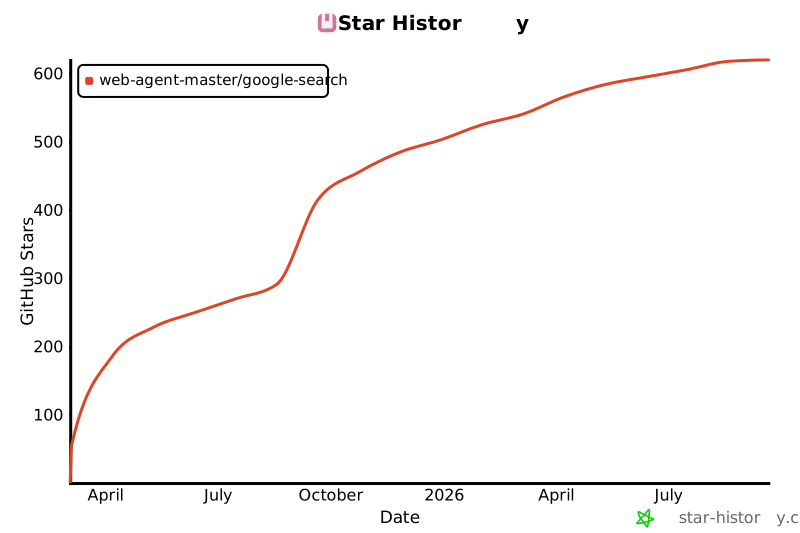](https://star-history.com/#web-agent-master/google-search&Date) |
| 6 | |
| 7 | [中文文档](README.zh-CN.md) |
| 8 | |
| 9 | ## Key Features |
| 10 | |
| 11 | - **Local SERP API Alternative**: No need to rely on paid search engine results API services, all searches are executed locally |
| 12 | - **Advanced Anti-Bot Detection Bypass Techniques**: |
| 13 | - Intelligent browser fingerprint management that simulates real user behavior |
| 14 | - Automatic saving and restoration of browser state to reduce verification frequency |
| 15 | - Smart headless/headed mode switching, automatically switching to headed mode when verification is needed |
| 16 | - Randomization of device and locale settings to reduce detection risk |
| 17 | - **Raw HTML Retrieval**: Ability to fetch the raw HTML of search result pages (with CSS and JavaScript removed) for analysis and debugging when Google's page structure changes |
| 18 | - **Page Screenshot**: Automatically captures and saves a full-page screenshot when saving HTML content |
| 19 | - **MCP Server Integration**: Provides real-time search capabilities to AI assistants like Claude without requiring additional API keys |
| 20 | - **Completely Open Source and Free**: All code is open source with no usage restrictions, freely customizable and extensible |
| 21 | |
| 22 | ## Technical Features |
| 23 | |
| 24 | - Developed with TypeScript, providing type safety and better development experience |
| 25 | - Browser automation based on Playwright, supporting multiple browser engines |
| 26 | - Command-line parameter support for search keywords |
| 27 | - MCP server support for AI assistant integration |
| 28 | - Returns search results with title, link, and snippet |
| 29 | - Option to retrieve raw HTML of search result pages for analysis |
| 30 | - JSON format output |
| 31 | - Support for both headless and headed modes (for debugging) |
| 32 | - Detailed logging output |
| 33 | - Robust error handling |
| 34 | - Browser state saving and restoration to effectively avoid anti-bot detection |
| 35 | |
| 36 | ## Installation |
| 37 | |
| 38 | ```bash |
| 39 | # Install from source |
| 40 | git clone https://github.com/web-agent-master/google-search.git |
| 41 | cd google-search |
| 42 | # Install dependencies |
| 43 | npm install |
| 44 | # Or using yarn |
| 45 | yarn |
| 46 | # Or using pnpm |
| 47 | pnpm install |
| 48 | |
| 49 | # Compile TypeScript code |
| 50 | npm run build |
| 51 | # Or using yarn |
| 52 | yarn build |
| 53 | # Or using pnpm |
| 54 | pnpm build |
| 55 | |
| 56 | # Link package globally (required for MCP functionality) |
| 57 | npm link |
| 58 | # Or using yarn |
| 59 | yarn link |
| 60 | # Or using pnpm |
| 61 | pnpm link |
| 62 | ``` |
| 63 | |
| 64 | ### Windows Environment Notes |
| 65 | |
| 66 | This tool has been specially adapted for Windows environments: |
| 67 | |
| 68 | 1. `.cmd` files are provided to ensure command-line tools work properly in Windows Command Prompt and PowerShell |
| 69 | 2. Log files are stored in the system temporary directory instead of the Unix/Linux `/tmp` directory |
| 70 | 3. Windows-specific process signal handling has been added to ensure proper server shutdown |
| 71 | 4. Cross-platform file path handling is used to support Windows path separators |
| 72 | |
| 73 | ## Usage |
| 74 | |
| 75 | ### Command Line Tool |
| 76 | |
| 77 | ```bash |
| 78 | # Direct command line usage |
| 79 | google-search "search keywords" |
| 80 | |
| 81 | # Using command line options |
| 82 | google-search --limit 5 --timeout 60000 --no-headless "search keywords" |
| 83 | |
| 84 | # Or using npx |
| 85 | npx google-search-cli "search keywords" |
| 86 | |
| 87 | # Run in development mode |
| 88 | pnpm dev "search keywords" |
| 89 | |
| 90 | # Run in debug mode (showing browser interface) |
| 91 | pnpm debug "search keywords" |
| 92 | |
| 93 | # Get raw HTML of search result page |
| 94 | google-search "search keywords" --get-html |
| 95 | |
| 96 | # Get HTML and save to file |
| 97 | google-search "search keywords" --get-html --save-html |
| 98 | |
| 99 | # Get HTML and save to specific file |
| 100 | google-search "search keywords" --get-html --save-html --html-output "./output.html" |
| 101 | ``` |
| 102 | |
| 103 | #### Command Line Options |
| 104 | |
| 105 | - `-l, --limit <number>`: Result count limit (default: 10) |
| 106 | - `-t, --timeout <number>`: Timeout in milliseconds (default: 60000) |
| 107 | - `--no-headless`: Sh |
Related
6 picksType
- wikipedia-mcpMCP server for Wikipedia APIMay 2026
- gpt-researcherGPT Researcher is an autonomous agent designed for comprehensive online research on a variety of tasks.Jul 2026
- arxiv-mcp-serverMCP server for accesing arXiv APIAug 2025
- arxiv-mcp-serverA Model Context Protocol server for searching and analyzing arXiv papersJul 2026
- knowledgebase-mcpBioContextAI Knowledgebase MCP server for biomedical agentic AIJan 2026
- mcp-server-serperSerper MCP Server supporting search and webpage scrapingMar 2025


